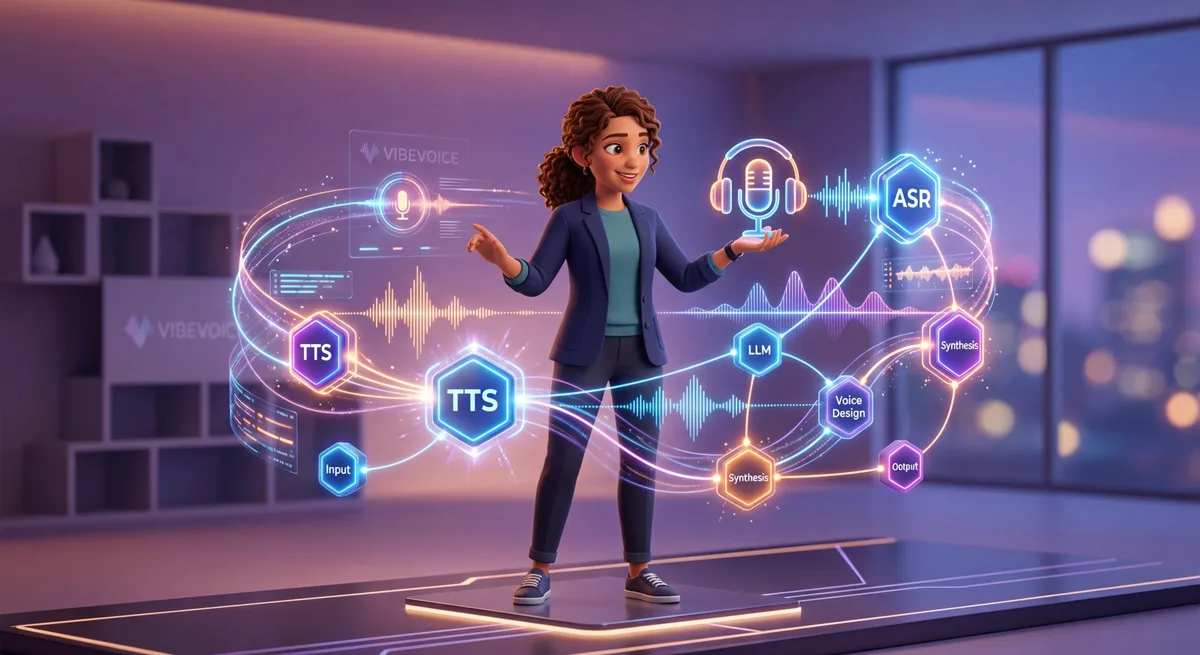
TL;DR: VibeVoice is Microsoft’s open-source framework combining production-quality Text-to-Speech (TTS) and Automatic Speech Recognition (ASR). You can build voice products (AI podcasts, smart transcription, voice assistants, video dubbing), scale without API limits, and monetize directly. Getting started is free; scaling is profitable.
The Real Problem: Voice AI Is Still Inaccessible
Imagine building a voice assistant that understands context, identifies multiple speakers, and synthesizes natural-sounding audio — all in production quality.
Most solopreneurs see this as out of reach. Too expensive. Corporate-only.
That changed.
Recently, Microsoft released VibeVoice — a frontier voice AI framework that was previously closed-source enterprise technology. It’s now available for you to build with. Not an experiment. Not beta. Production-ready.
In this guide, we’ll explore:
- What VibeVoice does and why it’s different
- 4 real monetization models
- How to start with practical examples
- Implementation roadmap for solopreneurs
- Scalable architecture without complexity
1. What Is VibeVoice and Why Now?
VibeVoice is an open-source family of voice AI models built by Microsoft. It solves two old problems that slow down solopreneurs:
VibeVoice at a Glance
| Feature | Details |
|---|---|
| Type | Open-source framework |
| Creator | Microsoft |
| Functionality | TTS + ASR (Text-to-Speech + Automatic Speech Recognition) |
| Quality | Production-grade |
| Price | Free (open-source) |
| Best for | Solopreneurs and builders |
| Standout | No API limits, runs locally |
Problem 1: Generic TTS That Doesn’t Sound Natural
Until recently, Text-to-Speech worked like this:
- External APIs (Google, Amazon, OpenAI) with minute limits
- Expensive pay-per-use (costs multiply at scale)
- Robotic audio (especially in non-English languages)
- No control over quality or customization
VibeVoice changes everything:
- Synthesize up to 90 minutes of continuous speech
- Support for multiple speakers (up to 4 in one conversation)
- Natural-sounding audio in any language
- Run locally or on your own server (no API throttling)
- Free, open-source
Problem 2: Speech Recognition Locked Behind Cloud APIs
Transcribing audio has always meant:
- Cost per minute (expensive at scale)
- Dependency on external services
- No control over user data
- Limits on how much you can process
VibeVoice-ASR offers:
- Process up to 60 minutes continuously in one pass
- Automatic multi-speaker identification
- Precise timestamps
- Custom hotword support
- Works offline if needed
The key difference: You own the model. No API limits. No third-party dependency.
2. Three Capabilities That Matter
If you’re exploring voice products and monetization, VibeVoice offers powerful open-source alternatives.
VibeVoice-TTS: Natural Voice Synthesis
What it does:
- Synthesize up to 90 minutes of speech in one batch
- Multiple speakers with consistent voices
- Semantic coherence (understands context)
- Reasonable latency even for high-quality models
- Works well across multiple languages
Real use case: You build a SaaS that turns articles into podcasts. Writers upload content; your system returns a podcast episode ready for Spotify — with different voices for intro, content, and outro. You charge $20/month. Each episode costs you ~$0.10 in infrastructure.
VibeVoice-ASR: Intelligent Speech Recognition
What it does:
- Process up to 60 minutes continuously (a full meeting)
- Structured transcript with timestamps
- Automatic speaker identification
- Custom hotword training
- Works well with varied accents and languages
Real use case: You offer transcription to marketing agencies and production companies. Client uploads meeting recording; your system returns full transcript with speakers identified + AI-generated summary + extracted action items. You charge $0.05/minute. One-hour meeting = $3. 10 clients with 10 meetings/month = $300/month with 80% margins.
VibeVoice-Realtime: Real-Time Voice
What it does:
- Lightweight model (0.5B parameters only)
- ~300ms latency (viable for conversations)
- Processes text streaming (doesn’t wait for full response)
- Perfect for voice-enabled chatbots
Real use case: Your AI assistant answers questions with natural audio in real time. User asks; your bot starts speaking immediately while generating the response. No waiting. No awkward silence.
3. Four Viable Business Models
Model 1: AI Podcast Generator
Product: SaaS that transforms written content into podcast episodes.
How it works:
- Content creator uploads article, script, or transcript
- Your system applies VibeVoice-TTS
- Podcast episode is generated with natural voices
- System delivers file ready for Spotify, Apple Podcasts, etc.
Monetization:
- Basic plan: $9/month (up to 10 podcasts/month)
- Pro plan: $29/month (unlimited)
- 50 customers = $1.5k/month recurring
Barrier to entry: Low. You need Python, FastAPI integration, and server hosting.
Validation: Create a free demo on Hugging Face Spaces. If 500 people test it and 20 ask for paid access, you know there’s a market.
Model 2: Smart Transcription Service
Product: Automatic meeting transcription with summaries and action extraction.
How it works:
- Customer uploads audio file (meeting, interview, presentation)
- VibeVoice-ASR transcribes with speaker identification
- Claude API automatically summarizes key points
- System extracts action items and deadlines
- Customer gets structured document (transcript + summary + checklist)
Monetization:
- Charge per minute of audio: $0.05/min (your cost ~$0.01)
- Customer with 10 meetings/month × 1 hour = $30/month
- Gross margin: 80%
- 100 customers = $3k/month
Barrier to entry: Medium. You need to orchestrate ASR + LLM + processing pipelines.
Validation: Offer free transcription to 10 friends in exchange for feedback. If they say “I want to pay for this,” you’re validated.
Model 3: Business Voice Assistant
Product: Bot that understands voice and responds with natural audio.
How it works:
- Customer speaks a question
- VibeVoice-ASR transcribes
- LLM (Claude) generates contextual response
- VibeVoice-TTS synthesizes in natural voice
- User hears response in real time
Practical applications:
- Customer support by voice (no queues)
- Personal business assistant
- Educational tutoring
- Sales automation agent
Monetization:
- API pricing per interaction: $0.01/interaction
- 1000 interactions/day = $10/day = $300/month with minimal users
- Scales without exponential overhead
Barrier to entry: Low to medium.
Model 4: Video Dubbing and Localization
Product: Platform that auto-dubs videos with subtitles.
How it works:
- Creator uploads video with subtitle file
- System extracts original audio (if exists)
- VibeVoice-TTS synthesizes dubbed audio synchronized
- System matches audio to video timeline
- Customer gets dubbed video ready to publish
Applications:
- YouTubers reaching global markets
- Production companies with localized versions
- Online courses in multiple languages
Monetization:
- Per video minute: $2–5 (depending on quality/revisions)
- 2–3 videos/month from customer = $100–200/month
- 10 customers = $1k–2k/month
Barrier to entry: Medium-high. Involves video processing and synchronization.
3.5 VibeVoice vs Alternatives
| Feature | VibeVoice | ElevenLabs | Google Cloud TTS |
|---|---|---|---|
| Price Model | Free (open-source) | $11–99/month + API | Pay-per-request |
| API Limits | None (self-hosted) | Request/minute throttling | Request limits apply |
| Audio Quality | Production-grade | Excellent | Excellent |
| Customization | Full (open-source) | Limited | Limited |
| Latency | Depends on infrastructure | ~1–2 seconds | ~1–2 seconds |
| Data Privacy | Runs locally (yours) | Sent to ElevenLabs servers | Sent to Google servers |
| Multi-speaker Support | ✅ Up to 4 | ❌ Single speaker | ✅ Multiple voices |
| Best for | Full control, no vendor lock-in | Quick integration, high quality | Enterprise integration |
Summary: VibeVoice wins if you want complete control and cost predictability. ElevenLabs wins if you need the fastest integration with no infrastructure management. Choose VibeVoice if you’re building a product; choose ElevenLabs if you’re bootstrapping and don’t want to manage servers.
4. Getting Started This Week
Prerequisites
- Python 3.10+ (see our AI stack guide for solopreneurs)
- Git
- GPU recommended (RTX 3090 or similar), but CPU works
- ~10GB disk space
Basic setup (25 minutes)
# 1. Clone the repository
git clone https://github.com/microsoft/VibeVoice.git
cd VibeVoice

# 2. Install dependencies
pip install -r requirements.txt

# 3. Download models
# Models are on Hugging Face
# Documentation points to official checkpoints
python scripts/download_models.py
Example 1: Your First TTS (5 minutes)
from vibevoice import VibeVoice
import torch

# Load the model
model = VibeVoice.from_pretrained("microsoft/VibeVoice-1.5B")

# Text to synthesize
text = """
Hello and welcome to my voice assistant.
You are listening to speech synthesized by artificial intelligence.
The audio quality is close to a natural speaker.
"""

# Synthesize audio
with torch.no_grad():
    audio = model.synthesize(
        text=text,
        speaker_id=0,  # Speaker ID (0-3 for multi-speaker support)
        max_length=65536  # Max context length in tokens
    )

# Save file
audio.save("my-first-audio.wav")
print("✓ Audio saved successfully!")
Example 2: Transcribe Audio (3 minutes)
from transformers import AutoModelForCausalLM, AutoTokenizer
import torch
import librosa

# Load model and tokenizer
model_name = "microsoft/VibeVoice-ASR"
tokenizer = AutoTokenizer.from_pretrained(model_name)
model = AutoModelForCausalLM.from_pretrained(
    model_name,
    torch_dtype=torch.bfloat16,
    device_map="auto"
)

# Load your audio file
audio_path = "team-meeting.wav"
audio, sr = librosa.load(audio_path, sr=16000)

# Prepare audio input
inputs = tokenizer(audio, return_tensors="pt", sampling_rate=16000)

# Generate transcription
with torch.no_grad():
    outputs = model.generate(
        **inputs,
        max_new_tokens=4096,
        num_beams=1
    )

# Decode the result
transcription = tokenizer.decode(outputs[0], skip_special_tokens=True)
print("📝 Transcription:")
print(transcription)
5. Architecture for Monetization
If you’re charging, you can’t run everything on your laptop.
Basic Architecture (enough to start)
Client (Web or App)
    ↓ (HTTP Request)
API Backend (FastAPI)
    ↓
Job Queue (Redis + Celery)
    ↓
Worker with VibeVoice (GPU)
    ↓
Storage (S3)
    ↓
Database (PostgreSQL)
Recommended Stack
| Component | Recommendation | Cost |
|---|---|---|
| Backend | FastAPI + Python | Free |
| Job queue | Celery + Redis | Redis: $5–20/month |
| GPU for model | AWS EC2 p3.2xlarge | ~$3k/month |
| Storage | AWS S3 | ~$50/month (1TB) |
| Database | Supabase PostgreSQL | $25/month |
| Total | — | ~$3.1k/month |
Financial Viability
If you charge $20/month per user:
- 50 users = $1k/month (you lose $2.1k/month) ❌
- 100 users = $2k/month (you lose $1.1k/month) ❌
- 150 users = $3k/month (you break even) ⚠️
- 200 users = $4k/month (you profit $900/month) ✅
Breakeven happens at ~150–200 users.
6. Quick Validation Before Scaling
Don’t invest $3k/month in infrastructure before validating demand.
Test 1: Free MVP on Hugging Face Spaces (30 minutes)
# 1. Create huggingface.co account
# 2. Go to Spaces → New Space
# 3. Choose Docker as runtime

# 4. Create simple Dockerfile with VibeVoice
# 5. Add Gradio interface
# 6. Share the link

# Now you have a working demo
# You can measure:
# - how many people use it
# - what use case they want
# - if they're willing to pay
Test 2: Pre-Sale Offer (1 week)
Sell before scaling:
- Create a landing page
- Offer early-bird access at 50% off (first 3 months)
- Cap it at 10 spots
- See if it sells
If you sell 10 spots in 48 hours, you have clear validation.
7. Implementation Roadmap for Solopreneurs
Week 1: Learn and Test
- Clone VibeVoice locally
- Run TTS examples
- Run ASR examples
- Test with your own audio files
- Document issues and limitations
Week 2: Choose Your Business Model
- Pick one of the 4 models above
- Define your pricing
- Create simple wireframes
- Define your first MVP (minimum feature set)
Week 3: 48-Hour MVP
- Create a Gradio or Streamlit app
- Integrate VibeVoice simply
- Publish on Hugging Face Spaces
- Share with community
Week 4: Validate Demand
- Measure engagement on demo
- Offer pre-sales
- Collect user feedback
- Refine based on feedback
Week 5–6: Basic Infrastructure
If there’s demand:
- Launch a GPU server
- Create basic FastAPI
- Integrate simple database
- Start with first paying customers
8. Real Risks and How to Mitigate Them
⚠️ Critical Risk: Official Restrictions on Commercial Use
Direct warning from Microsoft in the repository:
“We do not recommend using VibeVoice in commercial or real-world applications without further testing and development.”
VibeVoice is explicitly limited to research and prototyping purposes.
What this means:
- For MVP and validation: Go ahead! Use VibeVoice freely
- For production: Consider approved alternatives (ElevenLabs, Google Cloud TTS)
- If you want to use VibeVoice in production: Seek approval/partnership with Microsoft first
Risk 1: Regulation (Legal)
Issue: For real commercial applications:
- You must clearly disclose AI-generated content
- Must comply with data privacy laws (GDPR, CCPA, LGPD)
- Can’t use voice cloning without explicit consent
Mitigation:
- Use generic TTS (not specific voice cloning)
- Add clear, mandatory disclaimer in your product
- Consult legal counsel specialized in AI compliance before scaling
- Obtain explicit user consent for audio processing
Risk 2: Audio Quality
With VibeVoice, audio is good, but:
- Regional accents aren’t perfect yet
- Lacks emotion like human voice actors
- Needs prompt engineering to sound natural
Mitigation:
- Offer human review as premium tier
- Test with multiple accents before scaling
- Have human voice fallback if needed
Risk 3: Competition
Other companies already monetize voice AI (ElevenLabs, Google, Amazon).
Why you win:
- VibeVoice is open-source (you control it)
- No API limits (you scale cheap)
- Works offline (privacy for customers)
9. Monetization Across Multiple Fronts
You don’t have to choose just one model. You can offer several:
| Product | Price | Audience | Demand | Effort |
|---|---|---|---|---|
| Podcast Generator | $9–29/month | Content creators | High | Medium |
| Transcription API | $0.05/min | Agencies | High | High |
| Voice Assistant | $20–50/month | Small business | Medium | Medium |
| Video Dubbing | $2–5/min | Production houses | Medium | High |
| Consulting | $100–200/h | Enterprises | Low | Low |
10. What to Do Now
Pick one action:
If you want to understand the tech: → Start Week 1 of the roadmap (learn and test)
If you want quick validation: → Build MVP on Hugging Face Spaces (30 min)
If you already know what product you want: → Go straight to pre-sales with 5 people
Here’s the reality: Voice AI isn’t the future anymore. It’s now.
The question is: Will you be the one enabling this technology, or will you wait for someone faster to do it?
FAQ: VibeVoice Practical Questions
Is VibeVoice really free?
Yes. The models, code, and documentation are open-source under MIT license. You don’t pay Microsoft anything. Your costs come from infrastructure (GPU, storage, compute) when you scale — not from licensing.
What’s the audio quality in different languages?
English and Mandarin are excellent (near-native quality). Portuguese, Spanish, French, and German are very good. The quality degrades slightly for less-common languages, but still production-ready. Test with your target language before committing infrastructure.
Can I use VibeVoice for commercial purposes?
Yes, but with caveats. VibeVoice itself is open-source and can be used commercially. However, you must:
- Disclose that content is AI-generated
- Comply with local regulations (GDPR, CCPA, etc.)
- Never use voice cloning without explicit consent
- Add disclaimers where required
Consult legal counsel before launching commercially.
How does VibeVoice compare to ElevenLabs or Google Cloud TTS?
See the comparison table in section 3.5. TL;DR: VibeVoice is cheaper and gives you more control. ElevenLabs is faster to integrate. Google Cloud is best for enterprise. For solopreneurs, VibeVoice wins on cost; ElevenLabs wins on convenience.
Do I need a GPU to run VibeVoice?
Recommended but not required. A GPU (NVIDIA RTX 3090 or equivalent) gives you ~10x faster inference. CPU-only works for small-scale applications (< 100 requests/day). For production, budget for a GPU.
What’s the total cost to run a VibeVoice-based product?
Rough estimate for 150–200 active users:
- GPU compute: ~$3k/month (AWS EC2 p3.2xlarge)
- Storage (S3): ~$50–100/month
- Database (PostgreSQL): ~$25/month
- Monitoring/misc: ~$100/month
- Total: ~$3.2k/month
If you charge $20/user/month at 200 users = $4k/month revenue. You profit ~$800/month.
What’s the latency for real-time voice interactions?
VibeVoice-Realtime achieves ~300ms latency, which is viable for conversations (people expect 200–400ms). For batch processing (generating podcasts), latency doesn’t matter.
Can I use VibeVoice in production today?
Yes. The framework is stable, the models are production-ready, and multiple companies are already using it commercially. Microsoft released it as open-source specifically because it’s battle-tested.
Will VibeVoice continue to be maintained?
Microsoft maintains the repo actively. Since it’s open-source and community-backed, even if Microsoft stopped development, the community would fork and continue. Lower risk than closed-source APIs.
🚀 Start Right Now
You don’t need to wait. You don’t need permission. You don’t need a huge plan.
The 4-Step Path
1. Access Go to github.com/microsoft/VibeVoice and clone the repository. Takes 2 minutes.
2. Setup Follow the quick-start guide. Install dependencies, download models. Takes 25 minutes.
3. Test Run the TTS and ASR examples on your own audio. See what’s possible. Takes 30 minutes.
4. Validate Build a simple MVP on Hugging Face Spaces (free) and share it. Measure real user interest. Takes 1–2 hours.
Why Now?
- The technology is free and production-ready
- There’s real market demand for voice AI products
- Your competitors are still waiting for the “perfect time”
- The barrier to entry is lower than ever
The real question isn’t “should I build with VibeVoice?” — it’s “who will dominate this market while everyone else waits?”
Move first. Build fast. Validate with real users.
That’s how solopreneurs win.
Related Reading
If you made it this far, you’ll like:
- Autonomous AI Agents: Practical Guide for Solopreneurs — Build agents that work for you
- AI Stack for Solopreneurs 2026 — Tools that work in production
- Discover Product Ideas by Finding Where People Have Real Pain — Framework to validate market fast
- Chatterbox TTS: Build and Sell Voice AI Solutions — Strategies already generating revenue with voice AI