TL;DR
AI doesn’t understand code. It generates text that looks like code. For a tool like Claude Code or Cursor to actually improve your project over time, it needs two things: a clear specification of what should work (spec) and automatic validation that confirms whether it’s working (tests). Without both, you’re not developing with AI — you’re gambling.
The logic seems solid.
You describe what you want. The AI generates code. You paste it into the project. It works.
You describe something else. The AI generates more code. You paste it.
Three weeks later, you notice: every time you change something, something else breaks. You added a field to a form and the discount calculation stopped working. You refactored a function and the customer report started returning wrong data. You don’t know why.
You ask the AI to fix it. It fixes it. But now the login is broken.
This is the Chaos Cycle. And most people using AI to code are stuck in it.
The reason isn’t that the AI is bad. It’s that you’re asking it to work without defining what “correct” means.
The Chaos Cycle: What Happens When You Use AI Without Structure
Imagine someone building a bridge without architectural plans.
They look at the riverbank, estimate the distance, start placing pillars. Each day they adjust based on what they see. Sometimes it works. Sometimes a pillar sinks and they have to start over.
The problem isn’t skill. It’s the absence of specification. Without a blueprint documenting exactly where each element goes, any change can compromise what was already working.
Code without tests works the same way.
You have a feature that works. You add another. Now you have two that seem to work. You don’t know for certain because you never defined what “working” means in verifiable terms.
When you use AI in this context, the problem amplifies. The AI generates code that satisfies your text description. It doesn’t know what else exists in the project. It doesn’t know what might break. It only knows what you asked.
If you have no way to verify what’s working, you and the AI are navigating blind.
What Is TDD (In Human Language)
TDD (Test-Driven Development) is a development practice where you write the test before writing the code. The test defines the expected behavior; the code is written only to make that test pass. Result: every feature has automatic proof that it works.
TDD stands for Test-Driven Development.
But forget the technical name for a second.
Think of it this way: before building anything, you write proof that it works.
Before implementing the discount calculation function, you write:
“If I call
calculateDiscount(100, 10), the result should be90.”
That’s a test. And you write that test before writing any implementation code.
The TDD cycle has three steps:
- Write the test — define the expected behavior
- Make the test pass — write code until the test turns green
- Improve the code — refactor without breaking the test
This cycle repeats. For every new feature, for every expected behavior.
The result is a project where every function has automatic proof that it works. When you change something, you immediately know if you broke something else — because the tests fail.
This isn’t a big-company practice. It’s a practice for anyone who wants to sleep soundly.
The Mistake Everyone Makes with AI
When you ask AI to generate code, it generates code that satisfies your description.
But “satisfies the description” and “works correctly” are different things.
Here’s what typically happens:
You ask: “Create a function that calculates the cart total with a discount.”
The AI generates a function. You manually test it once. Seems to work.
You keep building. You ask for more code. The AI generates more.
Three weeks later, you have 50 functions. You changed the cart structure to support multiple currencies. The discount function stopped working. You didn’t notice because you never verified it automatically.
The mistake wasn’t using AI. It was not defining verifiable success criteria before starting.
If you had a test that ran every time you changed anything, you’d immediately know when the discount function broke.
Spec-Driven Development: Defining What “Working” Means
Spec is short for specification.
A spec is simply a precise description of what something should do.
Instead of writing:
“Create a discount function.”
You write:
“This function must:
- return 90 when given price=100 and discount=10%
- return 0 when the price is 0
- return an error when the discount is negative
- work with at most 2 decimal places”
That’s a spec.
Spec-Driven Development means you define these specifications before writing code. You decide what the system should do, under specific conditions, with specific results — before implementing anything.
More real-world spec examples:
- “This API must respond within 200ms under normal conditions”
- “The signup form must reject emails without the @ character”
- “When the user clicks ‘cancel’, the cart must remain unchanged”
- “A user on the free plan cannot create more than 3 projects”
Each of those sentences is a specification. It’s a definition of success.
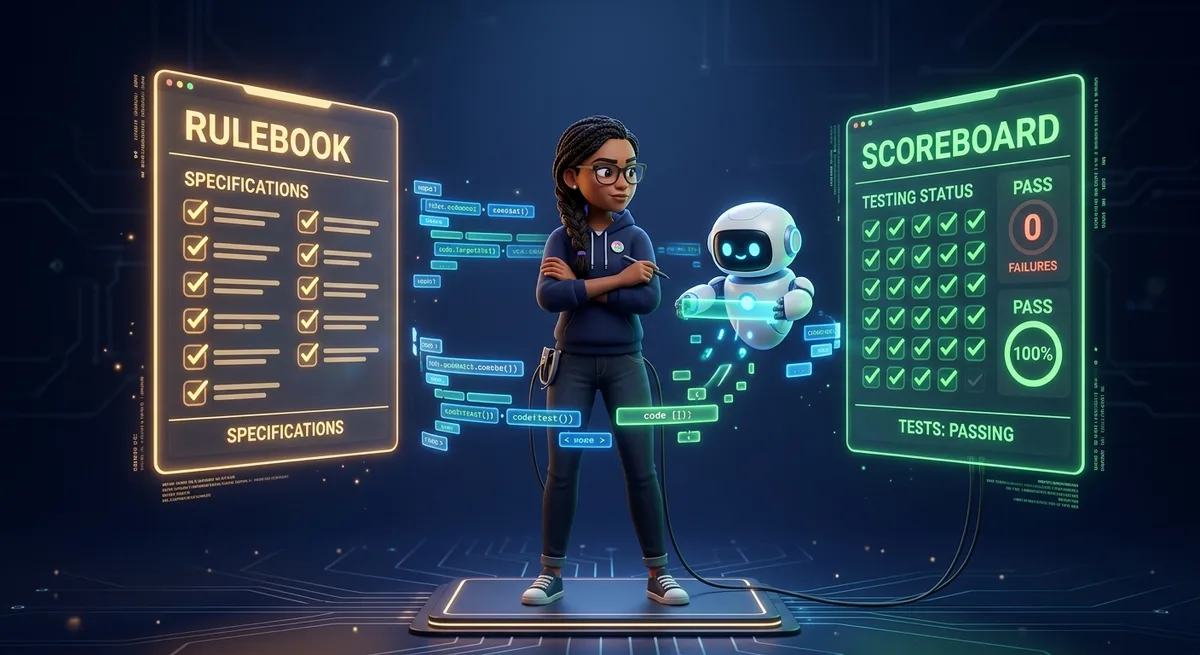
The Game Analogy: Rules + Scoreboard
Here’s the simplest way to understand how specs and tests work together.
Think of any board game.
Before playing, you need two things:
1. The rules of the game — what can and cannot happen. What counts as winning. What counts as a mistake. Chess has exact rules about how each piece moves. Checkers has rules about when a piece can be captured.
2. The scoreboard — a mechanism that records what happened and confirms whether the rules are being followed.
Without rules, there’s no game — just pieces moving randomly across the board.
Without a scoreboard, you don’t know if you’re winning or losing.
In software development:
- Spec = rules of the game → defines what success and failure look like
- Tests = scoreboard → automatically confirms whether the rules are being followed
When you use AI without spec and without tests, you’re asking it to play a game with no rules and no scoreboard. It will generate moves. But none of them will mean anything.
TDD vs. Spec-Driven Development: What’s the Difference?
To make this crystal clear:
TDD answers the question: “Does this work?”
→ It’s the verification mechanism. The test runs and says: passed or failed.
Spec-Driven Development answers the question: “What does ‘working’ mean?”
→ It’s the success criterion. The spec defines what must be true for something to be considered complete.
You need both.
Without spec, your tests test the wrong thing. You can have 100% test coverage and still have a system that doesn’t do what it should.
Without tests, your spec is just a document. Nice, but with no automatic enforcement.
Together, they form a virtuous cycle: the spec defines the target, the test verifies whether you hit it.
Why AI Doesn’t Know If the Code Works
AI doesn’t understand code. AI generates text.
Claude, GPT, Gemini — they’re all language models. They were trained to generate text that looks like correct code. They do this very well. But they don’t execute the code. They don’t know if it works. They don’t have access to your full context.
When you ask: “Fix this bug”, the AI doesn’t know whether its fix works. It generates a fix that looks correct based on patterns it learned.
Now imagine you have an automated test.
You ask the AI to fix the bug. It suggests a change. You run the tests. The test passes. Now you have evidence that the fix works — not a hope.
Even better: you can ask the AI to iterate until the tests pass. In tools like Claude Code, you can literally say: “Make changes until all tests pass.” The agent runs the tests, reads the feedback, adjusts the code, runs again. This only works because there’s an automatic success criterion in place.
Without tests, you’re asking the AI to work without feedback. The result is code that looks right — but there’s no way to know.
Before and After: A Practical Example
Let’s get concrete.
BEFORE: AI without spec, without tests
You need a password validation function.
You ask: “Create a function that validates passwords.”
The AI generates something that checks if the password has at least 8 characters.
Seems to work. You move on.
Two weeks later, a user creates an account with the password 12345678. The system accepts it. You don’t even know it’s a problem — because you never defined what a valid password is.
You ask the AI to “improve the validation.” It adds a number check. But it accidentally breaks the minimum length check. You don’t notice because you have no tests.
AFTER: Spec defined, tests written
Before writing any code, you write the spec:
Function validatePassword must:
- return true for "Password@123" (valid)
- return false for "12345678" (no uppercase or symbol)
- return false for "Pass@" (too short — less than 8 characters)
- return false for "" (empty)
- return false for null/undefined
You convert that into tests:
test('accepts valid password', () => {
  expect(validatePassword('Password@123')).toBe(true)
})

test('rejects password without symbol', () => {
  expect(validatePassword('Password123')).toBe(false)
})

test('rejects short password', () => {
  expect(validatePassword('P@1')).toBe(false)
})
Now you ask the AI to implement the function.
The AI generates an implementation. You run the tests. Two fail. You show the results to the AI. It adjusts. You run again. All pass.
When you need to change the password rules in the future, the tests will scream if something breaks. You have a system that evolves without regressing.
Claude Code, Cursor, and Why They Depend on Feedback
Tools like Claude Code and Cursor are designed to iterate based on feedback.
The ideal flow is:
- You describe what you want
- The tool generates or modifies code
- You validate (manually or automatically)
- You provide feedback
- The tool refines
Step 3 is where most people fail. Manual validation is slow, inconsistent, and doesn’t scale. You test once, it seems to work, you move on.
With automated tests, step 3 happens in seconds. And with Claude Code specifically, you can create a loop where:
- You define the spec in natural language in the prompt
- Claude generates the tests first (following TDD)
- Claude implements the code
- Claude runs the tests
- If they fail, Claude analyzes the errors and adjusts
- You receive code that passed the criteria you defined
This isn’t magic. It’s the result of having an automatic success criterion in place.
Cursor works similarly when you leverage its ability to understand project context. If you have tests, Cursor can read the test results and use them as a guide to adjust implementations.
The key in both cases is the same: the AI tool is only as good as the feedback it receives. Without tests, the feedback is you looking at code and saying “looks right.” With tests, the feedback is automatic, objective, and immediate.
Why This Matters for Solo Builders
If you’re building a product, an automation, or a micro-SaaS on your own, you don’t have a team to review code. No QA. No tech lead asking for tests.
You have you. And the AI.
Without tests, you’re betting that every change won’t break anything. The bigger the project grows, the bigger the bet. More features, more dependencies, more chances for regression.
The concrete benefits of TDD + specs for solo builders:
Fewer production bugs. Automated tests catch regressions before users see them.
Less rework. When you know something is working, you don’t need to revisit it. You move forward with confidence.
Faster development. It seems counterintuitive, but writing tests speeds up development in the medium term. The time you save on manual debugging outweighs the time spent writing tests.
More predictability. You know exactly what your system does. Not an estimate. An automatic proof.
More effective AI. With clear specs, your AI generates more precise code from the start. With tests, it can iterate without constant supervision.
When TDD Can Get in the Way (Honest Assessment)
TDD isn’t a silver bullet. There are situations where applying it rigidly does more harm than good.
During rapid prototyping. If you’re exploring an idea, writing code to understand whether something is feasible, strict TDD will slow you down. In this phase, it’s better to prototype quickly, validate the idea, and only add tests once the direction is clear.
For visual interfaces. Testing “this button should be 4px to the left” makes no sense. Visual interfaces have other validation mechanisms. TDD fits better in business logic and APIs.
At the start of a new project. When you don’t yet know how the system will be structured, writing tests too early can create a test layer you’ll have to completely rewrite when the architecture changes. There’s value in waiting for the structure to stabilize.
For throwaway scripts. One-time automations, tools you use once — spending hours writing tests for something that runs once doesn’t make sense.
The principle isn’t “write tests for everything.” It’s “write tests for what matters to verify automatically.” Use judgment.
Conclusion: AI Amplifies Systems, Not Chaos
There’s a popular belief that AI will fix the mess.
That you can have a disorganized project, no tests, no specs, and the AI will come in and sort everything out.
It doesn’t work that way.
AI amplifies what already exists. If you have a well-defined system — with clear specs and automated tests — AI becomes incredibly powerful. It can iterate quickly, add features, fix bugs, and you have an automatic mechanism that confirms when something is right.
If you have a mess, AI amplifies the mess. It generates code that looks right, you accept it because it seems to work, and you add more layers of uncertainty on top of the ones that already existed.
The difference between a developer who uses AI productively and one who lives in the Chaos Cycle isn’t the quality of their prompts. It’s the quality of the system underneath.
Spec defines what success is.
Tests verify whether you got there.
AI executes, iterates, and accelerates.
In that order.
Where to Start Today
You don’t need a 180-degree turnaround. Start small:
- Pick one new feature you’re going to build in your next project
- Write 3 sentences describing the expected behavior (the spec)
- Convert those sentences into tests before writing any code
- Use AI to implement the feature until the tests pass
- Notice the difference in quality and predictability of the result
That’s enough to start. The habit grows as you see the benefits.
FAQ
Do I need to be an experienced developer to use TDD?
No. In fact, TDD is especially valuable for those starting out because it forces you to think about expected behavior before implementing. This structures thinking in a way that accelerates learning.
Should I write tests for all AI-generated code?
Not for everything — but for business logic, APIs, calculations, and anything that will grow over time. If the function matters, it deserves a test.
Does TDD work with Claude Code and Cursor?
Very well. You can explicitly ask: “Write the tests first, then the implementation.” Claude Code in particular can run the tests and use the results as feedback to iterate automatically.
How long does it take to write tests?
In mature projects, it’s estimated at 20-30% of development time. But that time is quickly recovered — every bug caught by tests before reaching production saves hours of debugging afterward.
What is Spec-Driven Development?
Spec-Driven Development is a practice where you define the specification — what the system must do, under which conditions, with which results — before writing any code. The spec acts as a contract: it defines success before you start building.
What testing tool should I use?
For JavaScript/TypeScript: Jest or Vitest. For Python: pytest. For any other stack, look for the standard testing tool for that language. Start simple — you don’t need a complex framework to write useful tests.